Question / Help El Gato Game Capture not showing up in OBS

The Stomach

New Member
Hi All,

So I have been streaming my Xbox One for a while with the El Gato HD 60 and havent had any problems. However, today, after rebooting my PC, I am getting a weird problem:

I boot up OBS and the Elgato software. From an Elgato perspective, everything seems to be working just fine. Image is good. Audio is good.

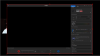
However, when I load up a window capture in OBS to grab my El Gato image, everything but the gameplay comes. See the pic below.

Any help would be greatly appreciated.
 

Attachments
  • OBS_BlackScreen.PNG
    OBS_BlackScreen.PNG
    48.9 KB · Views: 2,235
Last edited:
Why are you capturing the elgato software? Use a video capture device source.

Hi Osiris, thanks for your help. I updated advice with what is happening with the window capture. I'm still new to OBS and streaming, but could you give more clarity on "Use a video capture device source."
 
"Video capture device" is a source type like window capture, game capture, etc. Use it for webcams and capture cards. Don't run or capture the Elgato software.
 
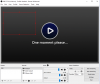
Alright, so I have rebooted my entire machine and when I select the el gato capture as a Video Capture Device it jus sits on a blank screen in OBS with "One moment please..." on the screen of OBS. It is running fine on the Elgato software. On top of this, my Webcam is no longer showing up and won't come up when I try to create a new source Video Capture with it. I can select the camera, but nothing comes up in the preview.

Below is what I now see. I had it all working great for a few months, but I don't know why things break down on me recently. Seems to happen mostly when I reboot my machine.
 

Attachments

  • OBS_BlackScreen_2.PNG
    OBS_BlackScreen_2.PNG
    188.9 KB · Views: 776
Alright, so I think I finally figured this out. First, I really want to thank Osiris and Sapiens for the help as I am clearly new to this and not the most tech savvy. Here is what I have done through some trial and error with the help they provided:

1) I removed all my sources related to the webcam and elgato capture from OBS.
2) Next I unistalled the Elgato game capture software, rebooted, and reinstalled.
3) I opened task manager and hit "end task" for anything related to OBS and elgato. Some times I could click on the icon and nothing would happen. I think this was causing issues with both.
4) Opened OBS, but not the elgato capture software.
5) Created video capture sources for both the webcam and elgato capture.

Everything now seems to be working great! I think a large part of the problem I had was I was opening up Elgato Game Capture and OBS at the same time and this was causing some problems. I never saw that I didn't need to have Elgato capture software running to get it to come through OBS.

Hopefully this helps anyone else that runs into these problems.
 
omg man The Stomach you are life saver. I just created this acc to thank you so much, holy shit I had the same issue. I was strugling for 2 hours and had opened 4K Capture Utility (Elgato software fror HD60S+) along with OBS all the time. I closed 4k capture utility, opend only OBS and BOOOOM MAN ITS THERE THANK YOU BRO REALLY
 
Back
Top