
Question / Help Deltacast DELTA-dvi-e 10 support?

exR

New Member
Hey there, does anyone use Deltacasts DELTA-dvi-e 10 with OBS Studio?

I just can't get it to work right, I got it to be recognized by OBS as video capture device, but no image whatsoever.
It even adds the source at wrong resolutions and even when I change the resoltution at Deltacasts preference window, it won't save them there, as seen below:

2VMzTix.png

It always goes back to "Auto Detection", even when saving it with other settings.

If someone has experience, pls share :D

If not I may have to go the VLC route, could playback the capture card there without problems.

//Edit:
Added the dCARE Log, if it may help

Thanks ;)
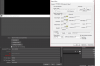
 

Attachments

Yes at OBS itself and at Datacasts preference dialog.
At OBS I only had the option of 16x16 and 1280x1024, couln't type in a custom one
 
Datapath capture cards dont work with OBS too.
For some reason OBS Classic can do it.
Whatever they changed - it caused a lot of capture cards to fail in OBS Studio.
Let alone the poor performance due to the scene. Costs a lot of fps in games. Even more than the hook of OBS.
If you want just capture - I recommend to switch to Virtualdub. There you capture without a scene and can disable the preview and you have great performance then (beware not to capture uncompressed though. download a codec like magicyuv or utvideo and use that.)
 
Datapath capture cards dont work with OBS too.
For some reason OBS Classic can do it.
Whatever they changed - it caused a lot of capture cards to fail in OBS Studio.
Let alone the poor performance due to the scene. Costs a lot of fps in games. Even more than the hook of OBS.
If you want just capture - I recommend to switch to Virtualdub. There you capture without a scene and can disable the preview and you have great performance then (beware not to capture uncompressed though. download a codec like magicyuv or utvideo and use that.)

I want to stream with it tho ;)
I got it to work in Classic, but changed some stuff and now the closest I get to it looks like that:

JJzkvB5.png


Can't seem to get it work, tested so many settings now ... anyone an idea what's wrong?

Settings:

Q7hOPMZ.png


And any easy way to get classics capture to studio? Or would I need to stay at classic then ..
 
Sooooo, I've got it to work with both XSPlit and Gameshow without any problems, the signal above was because I tried to overclock the signal to 144Hz, went back to 120 and works fine ;)
Due to no support in OBS Studio, but me needing the multiple audio channel capture, I'll likely will switch to Gameshow. Haven't done a test stream yet, but it looks promising so far.

PLS OBS, START SUPPORTING MORE DirectShow CARDS IN THE FUTURE!
 
I've got a DELTA-dvi-e 10 coming in the next few days (thanks ebay!). I can't promise anything but I will look into it.
 
Just as an FYI, directly supporting every single capture card with all their nuances is very difficult. Since Jim doesn't have access to all the capture cards out there (especially some of the higher-end more expensive cards), it's hard to anticipate what issues may arise.

Please understand that any lack of support is not because we don't want to. Very often it's because the card itself has specific quirks or requirements that are unknown.
 
I offered to buy Jim a (ebayed) Datapath card a few years ago so he could more easily support them. Offer still stands. Although I was under the impression that they worked fine with OBS Studio. I've been using Classic with mine just because the plugin was never ported over.

As to the OP's problems, the "Video Packing" setting looks dubious. Try the other options, especially any one that might look like 4:2:0.
 
Last edited:
The datapath stopped working since the driver added the additional colorspaces. OBS sure just initiates the card with the wrong colorspace..
and I'm quite sure this is the problem with 99% of the other cards as well.

Why OBS Studio doesnt use the normal capture pin config of the cards. Why this own config? This is the whole problem for sure.
 
The datapath stopped working since the driver added the additional colorspaces. OBS sure just initiates the card with the wrong colorspace..
and I'm quite sure this is the problem with 99% of the other cards as well.

Why OBS Studio doesnt use the normal capture pin config of the cards. Why this own config? This is the whole problem for sure.

What driver? The Datapath driver or something from OBS? If the Datapath driver, you can simply revert to an older one. Also I'd like to point out that the OP of this thread didn't have a Datapath device....
 
But I dont want to downgrade my driver for OBS.
The scene composition in combination with OBS' DirectShow Capture plugin takes more game fps than a framebuffer hook, which is why I now capture with ffmpeg cli directly where I have no forced scene composition and lose not a single fps by the capture.
 
You're attached to the version level of your Datapath driver? Or is there some other reason I don't understand?

Also can you screenshot your ffmpeg config so that other people can reference it?
 
You're attached to the version level of your Datapath driver? Or is there some other reason I don't understand?
I'm not forced to use it, but I prefer to use an up to date driver, you know? :D

Also can you screenshot your ffmpeg config so that other people can reference it?
Code:
ffmpeg -rtbufsize 2147M -f dshow -framerate 60 -thread_queue_size 1024 -probesize 10M -pixel_format bgr24 -i video="Datapath VisionSC-DP2 Video 01":audio="Wave (ASUS Xonar HDAV 1.3 Audio" -f dshow -itsoffset 0.1 -i audio="Line (AudioBox 22VSL Audio)" -map 0 -map 1 -vf "vflip" -vcodec h264_nvenc -pix_fmt yuv420p -rc:v vbr -b:v 0 -qmin 1 -qmax 16 -preset hp -acodec pcm_s16le -audio_buffer_size 80 "%fullpath%\%filename%.mkv"
 
DELTACAST would be up to work something out with the OBS developers. I am in contact with DELTACAST and they ask for a contact, pm me with a mail adress or to ask for DELTACAST's mail adress. :)
 
Sorry for not updating, I moved and have a bunch of stuff going on. I have two DVI e10's now since the first one was a bit broken (DVI connector was fucked). They seem to work fine but are a bit iffy. I guess that's down to them not really being intended to be used with DirectShow in the first place. I also found out that I don't actually have a dual link DVI cable and haven't gotten one yet.
 
Sorry for not updating, I moved and have a bunch of stuff going on. I have two DVI e10's now since the first one was a bit broken (DVI connector was fucked). They seem to work fine but are a bit iffy. I guess that's down to them not really being intended to be used with DirectShow in the first place. I also found out that I don't actually have a dual link DVI cable and haven't gotten one yet.
Any update on that?
 
Back
Top