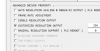
It just rechecks itself every time I click okay on the properties menu
using a startech USB3HDCAP capture card
80% sure thatd be the log file from when i changed it
It looks to me like your device does not support at least some of your selected settings. I don't have this device so I am not sure which one.
13:39:12.456: [DShow Device: 'Video Capture Device'] settings updated:
13:39:12.456: video device: CY3014 USB, Analog 01 Capture
13:39:12.456: video path: \\?\usb#vid_1164&pid_f533#5&376aba2d&0&17#{65e8773d-8f56-11d0-a3b9-00a0c9223196}\{6f814be9-9af6-43cf-9249-c0340100021f}
13:39:12.456: resolution: 720x480
13:39:12.456: fps: 29.97 (interval: 333667)
13:39:12.456: format: YV12
13:39:12.560: using video device audio: no
13:39:12.560: audio device: CY3014 USB, Analog 01 WaveIn
13:39:12.560: sample rate: 48000
13:39:12.560: channels: 2
13:39:12.560: audio type: Capture 13:39:29.803: Video Capture Device: data.GetDevice failed
13:39:29.803: Video Capture Device: Video configuration failed
13:39:31.151: DShow: Could not find filter to open dialog type: 0 with
13:39:32.249: DShow: Could not find filter to open dialog type: 0 with
13:39:32.399: DShow: Could not find filter to open dialog type: 0 with
13:39:39.809: DShow: Could not find filter to open dialog type: 0 with
13:39:41.417: ---------------------------------
sorry to necro but my computer fried right after making this post, it seems to be that if you do manage to find a way to turn off customized output, it will cause a ton of problems (unrelated to frying), and it's all pertaining to the capture card
This site uses cookies to help personalise content, tailor your experience and to keep you logged in if you register.
By continuing to use this site, you are consenting to our use of cookies.