Harryh146
New Member
Good Afternoon Ladies/Gents,
I was wondering it anyone could help me as i am close to throwing everything out the window as we all get to this point at some time with technical issues. I have looked around the forum and not found and issue with the same symptoms as me, anyway i digress down to business.
I recently purchased a new rig with more power for obvious reasons, i also purchased an Avermedia Live Gamer HD Lite (C985) capture card to go into my old rig to capture my simulator through OBS. As OBS would affect frames on my old rig. Now hear comes the tricky bit when i purchased my new rig i decided to get a fancy monitor to accompany it, so i went for a "Samsung c49hg90" with a resolution of 3840x1080 at 144 Hz.
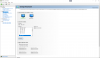
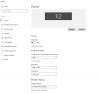
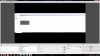
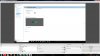
My monitor arrived before my new rig so i thought id give streaming a go and as i render my stream in 1920x1080 i was able to move the screen capture to the middle and cut off the edges which worked really well. However i now have my new rig and its now connected to the capture card in my old rig. when i enable the capture card preview it seems to me showing it in 1920x1080 rather than the true resolution (3840x1080) which is being sent to the capture card from my new rig. If i try and resize the capture everything goes pix-elated (see pictures below).
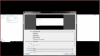
if i try and change the properties to a custom resolution for example 3840x1080 the preview just disappears i have included pictures below and hopefully this will help. I will be so grateful if anyone could help !!
Kind Regards Harry
I was wondering it anyone could help me as i am close to throwing everything out the window as we all get to this point at some time with technical issues. I have looked around the forum and not found and issue with the same symptoms as me, anyway i digress down to business.
I recently purchased a new rig with more power for obvious reasons, i also purchased an Avermedia Live Gamer HD Lite (C985) capture card to go into my old rig to capture my simulator through OBS. As OBS would affect frames on my old rig. Now hear comes the tricky bit when i purchased my new rig i decided to get a fancy monitor to accompany it, so i went for a "Samsung c49hg90" with a resolution of 3840x1080 at 144 Hz.
My monitor arrived before my new rig so i thought id give streaming a go and as i render my stream in 1920x1080 i was able to move the screen capture to the middle and cut off the edges which worked really well. However i now have my new rig and its now connected to the capture card in my old rig. when i enable the capture card preview it seems to me showing it in 1920x1080 rather than the true resolution (3840x1080) which is being sent to the capture card from my new rig. If i try and resize the capture everything goes pix-elated (see pictures below).
if i try and change the properties to a custom resolution for example 3840x1080 the preview just disappears i have included pictures below and hopefully this will help. I will be so grateful if anyone could help !!
Kind Regards Harry