

hey guys, no matter what i try, i cant seem to get OBS to stream at 1080p no matter what settings i try. ive tried the base encoder, ive tried AMDs. ive tried downscaling and using a filter at 1664x936, changed ingest servers, changed the advanced settings around, and cant get anything to work. here is my latest log file from a quick stream i did just now trying the AMD encoder. below are also pictures of other various settings i have tried, and i can get log files for those if needed. but this is really irritating. I have a Ryzen 7 5800XT cpu, and a 9060XT 16GB gpu, so my hardware should be able to handle it.
Attachments
-
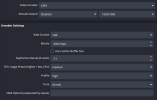 Screenshot 2026-01-15 084855.png20.1 KB · Views: 70
 -
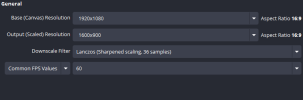 Screenshot 2026-01-15 084921.png12 KB · Views: 59
 -
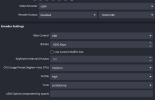 Screenshot 2026-01-16 110903.png20.4 KB · Views: 62
 -
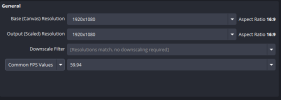 Screenshot 2026-01-16 110916.png13.2 KB · Views: 48
 -
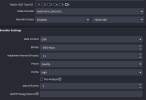 Screenshot 2026-01-17 001117.png24.3 KB · Views: 54
 -
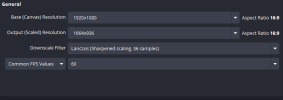 Screenshot 2026-01-17 001122.png12.5 KB · Views: 75
