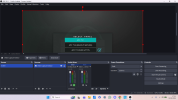
OBS Studio creates a log file each time you run it which contains very useful diagnostic information. Without a log file, it's much harder for any support volunteers to figure out problems and your post may be ignored.
To upload a log file, go to the Help menu > Log Files > Upload Last Log File. "Last Log File" is for the last session (the last time you ran OBS). In some cases you may be asked to select "Current Log File" instead, which is for the current session.
Click on the "Copy URL" button to copy the link to your clipboard, then paste the link in your forum...
This site uses cookies to help personalise content, tailor your experience and to keep you logged in if you register.
By continuing to use this site, you are consenting to our use of cookies.