Bug Report Blurred text in game recording

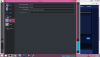
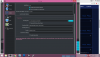
Ive attached my settings for recording to this post,the problem Im having is that I when recording the text in my game gets blurry.While Im not recording,the game text is clear.
Heres a before and after
Before recording(*much* crispier) :- https://imgur.com/XjX1adQ
After recording :- https://imgur.com/LphpVcO


And the log file :- https://hastebin.com/cedupigeke
If you need to know any other details just let me know
 

Attachments

  • 122.png
    122.png
    97.2 KB · Views: 141
  • 21212.png
    21212.png
    79.6 KB · Views: 138
Your canvas resolution is 1366x768, while your output resolution is 1364x768. That's horizontal 2 pixels less. I assume, OBS rescales 1366 to 1364, which will cause the blurriness. Try 1366x768 as output resolution.
I don't know if it is a requirement for the encoders to have a horizontal resolution that is dividable by 4 (1366 is only dividable by 2, while 1364 is dividable by 4, so it may not be possible to select 1366. If this is the case, go to your source, do a reset transform and let 2 pixels at the right border protrude over the right border into nothingness. Or try to edit the transform and crop one pixel to the left and one pixel to the right to make the source rectangle exactly even to the canvas without scaling.
 
Your canvas resolution is 1366x768, while your output resolution is 1364x768. That's horizontal 2 pixels less. I assume, OBS rescales 1366 to 1364, which will cause the blurriness. Try 1366x768 as output resolution.
I don't know if it is a requirement for the encoders to have a horizontal resolution that is dividable by 4 (1366 is only dividable by 2, while 1364 is dividable by 4, so it may not be possible to select 1366. If this is the case, go to your source, do a reset transform and let 2 pixels at the right border protrude over the right border into nothingness. Or try to edit the transform and crop one pixel to the left and one pixel to the right to make the source rectangle exactly even to the canvas without scaling.

You're close actually, it is a requirement for chroma subsampling (4:2:0) 1366x768 vs 1280x720 has to do with pixel ratio and overscan
 
The rescaling from a horizontal resolution of 1366 to 1364 is not that some random 2 pixels are simply dropped (removed). This would cripple a rescaled image. Rescaling works by distributing the same picture info over the new number of pixels instead.

Imagine all 1366 original pixels are drawn on a canvas to form the complete original line. Then they are rescanned with a resolution of 1364. This means, the rescaled first pixel gets 1364/1366 of the original first pixel. But the second rescaled pixel gets the color of the remaining 2/1366 of the first pixel and the color of 1362/1366 of the original second pixel mixed together. And so on. The pixels are smeared horizontally.
Every rescaled pixel gets a part of its original pixel and a part from its neighbor, so the complete original information is preserved even after rescaling. It's just distributed over a few less pixels. And so any sharp edges and lines with high contrast such as any letters are smeared as well.

I described a very simple rescaling algorithm. Actually, better algorithms like Lanczos don't distribute the picture information linear but instead with a interpolation function that better fits high contrast transitions. But they all have in common that they smear high contrast transitions to some extend. Usually, this produces better rescaled pictures than just removing pixels. Just like pictures with anti-aliasing look better than pictures without.
 
Oh,that makes sense now!Thx for your long explanation :)
I went in the settings and (even though there was only 1364) i manually just typed out 1366 and hit Apply.I closed obs and opened it again and now its still 1366 in my settings,so it worked!(thee output,ofc)
Now i will have to record and see the results
 
Welp the text looks exactly like how it was before :(
Oh and the sound feels like its being played through a trashcan,not even joking
 
About resolutions:
Try to keep width multiple of 4 and height multiple of 2 in order to correctly process video data by OBS Studio (#3 Problems with video sizing in OBS Studio). And keep width multiply of 32 in case of custom ffmpeg output/lossless.
So, just use Base resolution = Output resolution = 1364x768 (because 1366 wouldn't work) - the 2 pixels should be cropped from your source (manually - by Edit Transform, or just by placing sources out of bounds in preview).
Or use Output of 1280x720 (better for streaming compatibility/encoding performance). And, if possible, run all of your content in 1280x720 (thus Base of 1280x720 wouldn't scale at all).

Also, you video player may use aggressive deblocking which sometimes may blur crisp videos. Try other player.
 
Ah ill try 1280 x 720,thx for your suggestion

I use VLC player,I dont think Ill need to change :)
I mean I was using my windows standard player too , but no difference
 
Its still the same.....
I tried your second method
My pc is a dell inspiron 15 series 5000 x64-bit laptop
I dont think I can accurately crop out 2 pixels from the canvas
 
Back
Top