Heather West
New Member
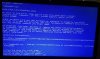
I keep trying to get this program to work on my computer, but the moment I select windows capture, my computer goes into blue screen error message mode. The older version works fine. I recently reinstalled windows. The newer version used to work. I installed the version that was on the new OBS Facebook post. Please help.
This is the solution message:
Problem signature:
Problem Event Name: BlueScreen
OS Version: 6.1.7601.2.1.0.768.3
Locale ID: 1033
Additional information about the problem:
BCCode: 50
BCP1: FFFFF8815D1E26A0
BCP2: 0000000000000000
BCP3: FFFFF880057A2878
BCP4: 0000000000000005
OS Version: 6_1_7601
Service Pack: 1_0
Product: 768_1
Files that help describe the problem:
C:\Windows\Minidump\013018-20545-01.dmp
C:\Users\HEATHER\AppData\Local\Temp\WER-122679-0.sysdata.xml
Read our privacy statement online:
http://go.microsoft.com/fwlink/?linkid=104288&clcid=0x0409
If the online privacy statement is not available, please read our privacy statement offline:
C:\Windows\system32\en-US\erofflps.txt
LOG FILE:
LINK: https://gist.github.com/d39b2b4e7413c3cbcd5bc052575b507e
LOG FILE:
OBS 21.0.1 (64bit, windows) log file uploaded at 2018-01-30, 12:03:22
Raw
2018-01-30 11-39-26.txt
11:39:27.075: CPU Name: Intel(R) Core(TM) i5-2410M CPU @ 2.30GHz
11:39:27.075: CPU Speed: 2294MHz
11:39:27.075: Physical Cores: 2, Logical Cores: 4
11:39:27.075: Physical Memory: 6091MB Total, 3733MB Free
11:39:27.075: Windows Version: 6.1 Build 7601 (revision: 23915; 64-bit)
11:39:27.076: Running as administrator: true
11:39:27.076: Aero is Enabled
11:39:27.092: Portable mode: false
11:39:27.943: OBS 21.0.1 (64bit, windows)
11:39:27.943: ---------------------------------
11:39:27.944: ---------------------------------
11:39:27.945: audio settings reset:
11:39:27.945: samples per sec: 44100
11:39:27.945: speakers: 2
11:39:28.051: ---------------------------------
11:39:28.051: Initializing D3D11...
11:39:28.051: Available Video Adapters:
11:39:28.053: Adapter 1: Mobile Intel(R) HD Graphics
11:39:28.053: Dedicated VRAM: 2194448384
11:39:28.054: Shared VRAM: 2925453312
11:39:28.054: output 1: pos={0, 0}, size={1366, 768}, attached=true
11:39:28.058: Loading up D3D11 on adapter Mobile Intel(R) HD Graphics (0)
11:39:28.101: D3D11 loaded successfully, feature level used: 45056
11:39:31.492: ---------------------------------
11:39:31.492: video settings reset:
11:39:31.492: base resolution: 1366x768
11:39:31.492: output resolution: 908x512
11:39:31.492: downscale filter: Bicubic
11:39:31.492: fps: 30/1
11:39:31.492: format: NV12
11:39:31.498: Audio monitoring device:
11:39:31.498: name: Default
11:39:31.498: id: default
11:39:31.544: ---------------------------------
11:39:31.566: Required module function 'obs_module_load' in module '../../obs-plugins/64bit/chrome_elf.dll' not found, loading of module failed
11:39:31.604: [CoreAudio encoder]: CoreAudio AAC encoder not installed on the system or couldn't be loaded
11:39:31.872: [AMF] <obs_module_load> AMF not supported (no AMD graphics)
11:39:31.872: Failed to initialize module 'enc-amf.dll'
11:39:32.107: Required module function 'obs_module_load' in module '../../obs-plugins/64bit/libcef.dll' not found, loading of module failed
11:39:32.133: Required module function 'obs_module_load' in module '../../obs-plugins/64bit/libEGL.dll' not found, loading of module failed
11:39:32.187: Required module function 'obs_module_load' in module '../../obs-plugins/64bit/libGLESv2.dll' not found, loading of module failed
11:39:32.259: Failed to load 'en-US' text for module: 'obs-browser.dll'
11:39:32.259: [browser_source: 'Version: 1.29.0']
11:39:33.012: LoadLibrary failed for 'nvEncodeAPI64.dll': The specified module could not be found.
11:39:33.012: (126)
11:39:35.163: Couldn't find VLC installation, VLC video source disabled
11:39:35.319: No blackmagic support
11:39:35.763: [Media Foundation encoder]: plugin is disabled for performance reasons on Windows versions prior to 8
11:39:36.867: ---------------------------------
11:39:36.867: Loaded Modules:
11:39:36.867: win-wasapi.dll
11:39:36.867: win-mf.dll
11:39:36.867: win-dshow.dll
11:39:36.867: win-decklink.dll
11:39:36.867: win-capture.dll
11:39:36.867: vlc-video.dll
11:39:36.867: text-freetype2.dll
11:39:36.867: rtmp-services.dll
11:39:36.867: obs-x264.dll
11:39:36.867: obs-vst.dll
11:39:36.867: obs-transitions.dll
11:39:36.867: obs-text.dll
11:39:36.867: obs-qsv11.dll
11:39:36.868: obs-outputs.dll
11:39:36.868: obs-filters.dll
11:39:36.868: obs-ffmpeg.dll
11:39:36.868: obs-browser.dll
11:39:36.868: image-source.dll
11:39:36.868: frontend-tools.dll
11:39:36.868: enc-amf.dll
11:39:36.868: coreaudio-encoder.dll
11:39:36.868: ---------------------------------
11:39:36.868: ==== Startup complete ===============================================
11:39:37.072: All scene data cleared
11:39:37.072: ------------------------------------------------
11:39:37.287: WASAPI: Device 'LG TV (Intel(R) Display Audio)' initialized
11:39:37.703: adding 394 milliseconds of audio buffering, total audio buffering is now 394 milliseconds
11:39:38.090: WASAPI: Device 'Integrated Microphone Array (IDT High Definition Audio CODEC)' initialized
11:39:38.150: Switched to scene 'Scene'
11:39:38.184: ------------------------------------------------
11:39:38.184: Loaded scenes:
11:39:38.184: - scene 'Scene':
11:39:38.184: ------------------------------------------------
11:39:55.769: User added scene 'ps4'
11:39:55.772: User switched to scene 'ps4'
This is the solution message:
Problem signature:
Problem Event Name: BlueScreen
OS Version: 6.1.7601.2.1.0.768.3
Locale ID: 1033
Additional information about the problem:
BCCode: 50
BCP1: FFFFF8815D1E26A0
BCP2: 0000000000000000
BCP3: FFFFF880057A2878
BCP4: 0000000000000005
OS Version: 6_1_7601
Service Pack: 1_0
Product: 768_1
Files that help describe the problem:
C:\Windows\Minidump\013018-20545-01.dmp
C:\Users\HEATHER\AppData\Local\Temp\WER-122679-0.sysdata.xml
Read our privacy statement online:
http://go.microsoft.com/fwlink/?linkid=104288&clcid=0x0409
If the online privacy statement is not available, please read our privacy statement offline:
C:\Windows\system32\en-US\erofflps.txt
LOG FILE:
LINK: https://gist.github.com/d39b2b4e7413c3cbcd5bc052575b507e
LOG FILE:
OBS 21.0.1 (64bit, windows) log file uploaded at 2018-01-30, 12:03:22
Raw
2018-01-30 11-39-26.txt
11:39:27.075: CPU Name: Intel(R) Core(TM) i5-2410M CPU @ 2.30GHz
11:39:27.075: CPU Speed: 2294MHz
11:39:27.075: Physical Cores: 2, Logical Cores: 4
11:39:27.075: Physical Memory: 6091MB Total, 3733MB Free
11:39:27.075: Windows Version: 6.1 Build 7601 (revision: 23915; 64-bit)
11:39:27.076: Running as administrator: true
11:39:27.076: Aero is Enabled
11:39:27.092: Portable mode: false
11:39:27.943: OBS 21.0.1 (64bit, windows)
11:39:27.943: ---------------------------------
11:39:27.944: ---------------------------------
11:39:27.945: audio settings reset:
11:39:27.945: samples per sec: 44100
11:39:27.945: speakers: 2
11:39:28.051: ---------------------------------
11:39:28.051: Initializing D3D11...
11:39:28.051: Available Video Adapters:
11:39:28.053: Adapter 1: Mobile Intel(R) HD Graphics
11:39:28.053: Dedicated VRAM: 2194448384
11:39:28.054: Shared VRAM: 2925453312
11:39:28.054: output 1: pos={0, 0}, size={1366, 768}, attached=true
11:39:28.058: Loading up D3D11 on adapter Mobile Intel(R) HD Graphics (0)
11:39:28.101: D3D11 loaded successfully, feature level used: 45056
11:39:31.492: ---------------------------------
11:39:31.492: video settings reset:
11:39:31.492: base resolution: 1366x768
11:39:31.492: output resolution: 908x512
11:39:31.492: downscale filter: Bicubic
11:39:31.492: fps: 30/1
11:39:31.492: format: NV12
11:39:31.498: Audio monitoring device:
11:39:31.498: name: Default
11:39:31.498: id: default
11:39:31.544: ---------------------------------
11:39:31.566: Required module function 'obs_module_load' in module '../../obs-plugins/64bit/chrome_elf.dll' not found, loading of module failed
11:39:31.604: [CoreAudio encoder]: CoreAudio AAC encoder not installed on the system or couldn't be loaded
11:39:31.872: [AMF] <obs_module_load> AMF not supported (no AMD graphics)
11:39:31.872: Failed to initialize module 'enc-amf.dll'
11:39:32.107: Required module function 'obs_module_load' in module '../../obs-plugins/64bit/libcef.dll' not found, loading of module failed
11:39:32.133: Required module function 'obs_module_load' in module '../../obs-plugins/64bit/libEGL.dll' not found, loading of module failed
11:39:32.187: Required module function 'obs_module_load' in module '../../obs-plugins/64bit/libGLESv2.dll' not found, loading of module failed
11:39:32.259: Failed to load 'en-US' text for module: 'obs-browser.dll'
11:39:32.259: [browser_source: 'Version: 1.29.0']
11:39:33.012: LoadLibrary failed for 'nvEncodeAPI64.dll': The specified module could not be found.
11:39:33.012: (126)
11:39:35.163: Couldn't find VLC installation, VLC video source disabled
11:39:35.319: No blackmagic support
11:39:35.763: [Media Foundation encoder]: plugin is disabled for performance reasons on Windows versions prior to 8
11:39:36.867: ---------------------------------
11:39:36.867: Loaded Modules:
11:39:36.867: win-wasapi.dll
11:39:36.867: win-mf.dll
11:39:36.867: win-dshow.dll
11:39:36.867: win-decklink.dll
11:39:36.867: win-capture.dll
11:39:36.867: vlc-video.dll
11:39:36.867: text-freetype2.dll
11:39:36.867: rtmp-services.dll
11:39:36.867: obs-x264.dll
11:39:36.867: obs-vst.dll
11:39:36.867: obs-transitions.dll
11:39:36.867: obs-text.dll
11:39:36.867: obs-qsv11.dll
11:39:36.868: obs-outputs.dll
11:39:36.868: obs-filters.dll
11:39:36.868: obs-ffmpeg.dll
11:39:36.868: obs-browser.dll
11:39:36.868: image-source.dll
11:39:36.868: frontend-tools.dll
11:39:36.868: enc-amf.dll
11:39:36.868: coreaudio-encoder.dll
11:39:36.868: ---------------------------------
11:39:36.868: ==== Startup complete ===============================================
11:39:37.072: All scene data cleared
11:39:37.072: ------------------------------------------------
11:39:37.287: WASAPI: Device 'LG TV (Intel(R) Display Audio)' initialized
11:39:37.703: adding 394 milliseconds of audio buffering, total audio buffering is now 394 milliseconds
11:39:38.090: WASAPI: Device 'Integrated Microphone Array (IDT High Definition Audio CODEC)' initialized
11:39:38.150: Switched to scene 'Scene'
11:39:38.184: ------------------------------------------------
11:39:38.184: Loaded scenes:
11:39:38.184: - scene 'Scene':
11:39:38.184: ------------------------------------------------
11:39:55.769: User added scene 'ps4'
11:39:55.772: User switched to scene 'ps4'