Question / Help Black Screen when I add Display Capture or Window Capture in Sources

FCVN

New Member
Hi Everybody.

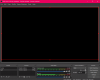
I've installed OBS on my laptop, when I add Display Capture or Window capture in Sources, it show nothing on Screen.
I don't understand the reason even I watched many times the support video on Youtube.
Please help me to solve this issue.

Thanks.
 

Attachments

  • Issue.PNG
    Issue.PNG
    31.8 KB · Views: 52
22:44:29.957: Adapter 0: NVIDIA GeForce MX130
22:44:29.957: Dedicated VRAM: 2107703296
22:44:29.957: Shared VRAM: 2187198464
22:44:29.957: output 0: pos={0, 0}, size={1920, 1080}, attached=true
22:44:29.958: Adapter 1: Intel(R) UHD Graphics 620
22:44:29.958: Dedicated VRAM: 134217728
22:44:29.958: Shared VRAM: 4160684032
22:44:29.985: Loading up D3D11 on adapter NVIDIA GeForce MX130 (0)
22:44:31.886: D3D11 loaded successfully, feature level used: b000
22:44:31.886: D3D11 GPU priority setup failed (not admin?)

You can't perform a display capture with this configuration. To do display capture on a laptop with both Intel and Nvidia GPUs, you need to configure OBS to run on the Intel GPU. There is a sticky in the forum on this topic.

Laptop? Black screen when capturing? Read here first.

If you are unable to change OBS' GPU affinity with the Nvidia control panel, that probably means you have the 1909 Windows update, and you need to do this in Windows settings instead.

https://github.com/obsproject/obs-studio/wiki/Laptop-GPU-Selection-Windows-10

If the app you are trying to Window capture is Chrome, you need to turn off hardware acceleration in the browser in order to do this.

 
22:44:29.957: Adapter 0: NVIDIA GeForce MX130
22:44:29.957: Dedicated VRAM: 2107703296
22:44:29.957: Shared VRAM: 2187198464
22:44:29.957: output 0: pos={0, 0}, size={1920, 1080}, attached=true
22:44:29.958: Adapter 1: Intel(R) UHD Graphics 620
22:44:29.958: Dedicated VRAM: 134217728
22:44:29.958: Shared VRAM: 4160684032
22:44:29.985: Loading up D3D11 on adapter NVIDIA GeForce MX130 (0)
22:44:31.886: D3D11 loaded successfully, feature level used: b000
22:44:31.886: D3D11 GPU priority setup failed (not admin?)

You can't perform a display capture with this configuration. To do display capture on a laptop with both Intel and Nvidia GPUs, you need to configure OBS to run on the Intel GPU. There is a sticky in the forum on this topic.

Laptop? Black screen when capturing? Read here first.

If you are unable to change OBS' GPU affinity with the Nvidia control panel, that probably means you have the 1909 Windows update, and you need to do this in Windows settings instead.

https://github.com/obsproject/obs-studio/wiki/Laptop-GPU-Selection-Windows-10

If the app you are trying to Window capture is Chrome, you need to turn off hardware acceleration in the browser in order to do this.


Thanks Narcogen so much.
It is working once I follow your direction. This software is amazing.
Regards
999 likes for you
 
Back
Top