I´ve one PC with windows 10, it start show me a problem in between
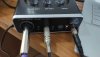
the OBS and UM-2 stop to "listening" the port 1 (XLR/P10) only listening port 2 (P10).
In the same PC I using Reaper two ports in the UM-2 is works very well.
I try reinstall OBS and the problem continues
In other PC with OBS detect two ports without problems.
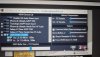
The problem is only this PC I dodn´t like reinstall windows 10 in this machine , I Attach files with ASIO configurations and OBS configurations.
If someone have a idea.
Thks
the OBS and UM-2 stop to "listening" the port 1 (XLR/P10) only listening port 2 (P10).
In the same PC I using Reaper two ports in the UM-2 is works very well.
I try reinstall OBS and the problem continues
In other PC with OBS detect two ports without problems.
The problem is only this PC I dodn´t like reinstall windows 10 in this machine , I Attach files with ASIO configurations and OBS configurations.
If someone have a idea.
Thks