Question / Help Audio Monitoring Not Working

KalebIsrael

New Member
I have enabled Audio Monitoring, but I hear nothing.
I want all audio that would be heard during the stream to also be monitored via the BMD HDMI-0 audio output I have set as default

http://imgur.com/a/Q400i

audio-png.28539


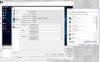
mixer-png.28540


Current Log:
https://gist.github.com/391299a13a2b470d2c11813ed3b3997b
 

Attachments
  • audio.PNG
    audio.PNG
    415.7 KB · Views: 4,765
  • mixer.PNG
    mixer.PNG
    447.7 KB · Views: 4,757
Last edited:
The monitoring device is set in the Advanced tab. May or may not be that though, audio monitoring randomly stopped working for me yesterday.
 
I found a random fix.
I could not get audio monitoring to work one day randomly (we'll call this A).
Change under the advanced setting the audio monitoring device to something else (We'll call this B). Hit apply, close and reopen obs. This caused the source I switched it to to actually play through B even though it didn't work through A. I switched back to A and applied and reopened obs and A worked!

Hope this random fix helps!
 
I found a random fix.
I could not get audio monitoring to work one day randomly (we'll call this A).
Change under the advanced setting the audio monitoring device to something else (We'll call this B). Hit apply, close and reopen obs. This caused the source I switched it to to actually play through B even though it didn't work through A. I switched back to A and applied and reopened obs and A worked!

Hope this random fix helps!

Hello, it also worked for me (OBS 27.0.1 64-bit).
Regards
Jakub
 
Back
Top