Kyria73
New Member
Ich nutze auch 3 Kameras:
1.) interne Cam des Lenovo Legion
2.) Einfache kleine Webcam
3.) USB3 Capture von HDMI-Konferenzcamera mit Zoom
Ich arbeite mit Windows 10
Windows und diverse Anwendungen erkennen und wechseln problemlos die drei Kameras.
Ich habe in OBS alle drei als Quelle eingebunden
Szene 1: Kamera 2 Vollbild und Kamera 1 als kleine Facecam unten rechts
Szene 2: Kamera 3
Bisher hat das gut funktioniert und ich konnte von einer Szene in die andere wechseln
Seit dem letzten Update div Treiber erkennt OBS zwar alle 3 Cams aber ich kann immer nur eine aktivieren. Die anderen beiden bleibt auch wenn ich sie aktiviere das Bild schwarz.
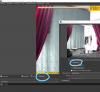
Es ist immer die erste aktivierte Cam die man sehen kann, wenn ich eine andere sehen will muß ich erst alle 3 deaktivieren (nicht ausblenden sondern wirklich deaktivieren siehe Screenshot) und kann dann die gewünschte aktivieren um von ihr ein Bild zu bekommen.
Problem dabei ist, daß ich dadurch nicht mehr einfach eine Cam über das Auge im Kasten Quellen ein- oder ausblenden kann und auch nicht zwischen Szenen mit verschiedenen Kameras wechseln kann ohne zeitweise völlig ohne Bild zu sein. Bild im Bild wie in meiner bisherigen Szene 1 ist nicht mehr möglich.
Am System wurde eigentlich nichts geändert. Nach Auftreten des Problems habe ich alle Treiber aktualisiert aber auch das half nicht.
Alle Abgemeldet wieder angemeldet, Szenen gelöscht und frisch eingerichtet hat alles nicht geholfen.
Weiß jemand wo hier das Problem liegt?
----------------
I also use 3 cameras:
1.) Lenovo Legion internal cam
2.) Simple little webcam
3.) USB3 capture from HDMI conference camera with zoom
I work with Windows 10
Windows and various applications easily recognize and switch the three cameras.
I have included all three as sources in OBS
Scene 1: Camera 2 full screen and Camera 1 as a small facecam on the bottom right
Scene 2: Camera 3
So far this has worked well and I've been able to switch from one scene to another
Since the last update of div drivers, OBS recognizes all 3 cams, but I can only activate one at a time. The other two remain black even if I activate them.
It's always the first activated cam that you can see, if I want to see another one I first have to deactivate all 3 (not hide but really deactivate see screenshot) and then activate the desired one to get a picture of it.
The problem with this is that I can no longer simply show or hide a cam via the eye in the sources box and also cannot switch between scenes with different cameras without being completely without a picture at times. Picture in picture as in my previous scene 1 is no longer possible.
Nothing has really changed in the system. After the problem occurred I updated all the drivers but that didn't help either.
All logged off again, deleted scenes and freshly set up didn't help.
Does anyone know where the problem lies here?
1.) interne Cam des Lenovo Legion
2.) Einfache kleine Webcam
3.) USB3 Capture von HDMI-Konferenzcamera mit Zoom
Ich arbeite mit Windows 10
Windows und diverse Anwendungen erkennen und wechseln problemlos die drei Kameras.
Ich habe in OBS alle drei als Quelle eingebunden
Szene 1: Kamera 2 Vollbild und Kamera 1 als kleine Facecam unten rechts
Szene 2: Kamera 3
Bisher hat das gut funktioniert und ich konnte von einer Szene in die andere wechseln
Seit dem letzten Update div Treiber erkennt OBS zwar alle 3 Cams aber ich kann immer nur eine aktivieren. Die anderen beiden bleibt auch wenn ich sie aktiviere das Bild schwarz.
Es ist immer die erste aktivierte Cam die man sehen kann, wenn ich eine andere sehen will muß ich erst alle 3 deaktivieren (nicht ausblenden sondern wirklich deaktivieren siehe Screenshot) und kann dann die gewünschte aktivieren um von ihr ein Bild zu bekommen.
Problem dabei ist, daß ich dadurch nicht mehr einfach eine Cam über das Auge im Kasten Quellen ein- oder ausblenden kann und auch nicht zwischen Szenen mit verschiedenen Kameras wechseln kann ohne zeitweise völlig ohne Bild zu sein. Bild im Bild wie in meiner bisherigen Szene 1 ist nicht mehr möglich.
Am System wurde eigentlich nichts geändert. Nach Auftreten des Problems habe ich alle Treiber aktualisiert aber auch das half nicht.
Alle Abgemeldet wieder angemeldet, Szenen gelöscht und frisch eingerichtet hat alles nicht geholfen.
Weiß jemand wo hier das Problem liegt?
----------------
I also use 3 cameras:
1.) Lenovo Legion internal cam
2.) Simple little webcam
3.) USB3 capture from HDMI conference camera with zoom
I work with Windows 10
Windows and various applications easily recognize and switch the three cameras.
I have included all three as sources in OBS
Scene 1: Camera 2 full screen and Camera 1 as a small facecam on the bottom right
Scene 2: Camera 3
So far this has worked well and I've been able to switch from one scene to another
Since the last update of div drivers, OBS recognizes all 3 cams, but I can only activate one at a time. The other two remain black even if I activate them.
It's always the first activated cam that you can see, if I want to see another one I first have to deactivate all 3 (not hide but really deactivate see screenshot) and then activate the desired one to get a picture of it.
The problem with this is that I can no longer simply show or hide a cam via the eye in the sources box and also cannot switch between scenes with different cameras without being completely without a picture at times. Picture in picture as in my previous scene 1 is no longer possible.
Nothing has really changed in the system. After the problem occurred I updated all the drivers but that didn't help either.
All logged off again, deleted scenes and freshly set up didn't help.
Does anyone know where the problem lies here?