- Supported Bit Versions
- 64-bit
- Source Code URL
- https://github.com/minesantum/fast-change-resolution
- Minimum OBS Studio Version
- 32.0.2
- Supported Platforms
- Windows
Incompatible With Vertical Canvas Aitum
Fast Resolution Changer
OBS Studio plugin created by
DonKolia
Description
This plugin adds a dock to OBS Studio that allows you to quickly change the Base (Canvas) and Output (Scaled) resolutions, as well as FPS and scale filters, without having to open the settings window. Ideal for content creators who frequently switch between formats (e.g., 16:9 and 9:16).
Key Features
- Quick Change: Modify resolutions and FPS directly from the main interface.
- Switch Orientation: Dedicated button to quickly toggle between landscape and portrait modes.
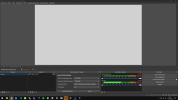
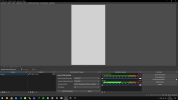
- Preview Auto-Adjustment: The OBS preview automatically adjusts ("Scale to Window") when applying changes or switching orientation, ensuring you always see the full canvas.
- Settings Protection: Blocks video controls in the OBS settings window while the dock is active to prevent conflicts and accidental errors.
- Native Integration: Behaves like any other OBS dock (can be moved, floated, hidden, etc.) and retains its position and size.
Installation
- Download the fast-change-resolution.dll file.
- Copy the file into the 64-bit plugins folder of your OBS Studio installation. By default, this is usually: C:\Program Files\obs-studio\obs-plugins\64bit\
- Start OBS Studio.
Usage
- Open OBS Studio.
- If the dock does not appear, go to the Docks menu and select Fast Resolution Changer.
- Change Resolution: Select the base and output resolutions from the dropdown menus or enter custom values.
- FPS and Filter: Adjust frames per second and the downscale filter as needed.
- Apply: Click the "Apply" button to confirm changes.
- Switch Orientation: Click "Switch Orientation" to instantly swap width and height (e.g., from 1920x1080 to 1080x1920).
Credits
Developed by
DonKolia
-
1768166214809.png
82.2 KB
· Views: 5
-
1768166240892.png
81.6 KB
· Views: 8



