Hi!
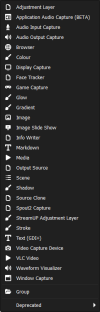
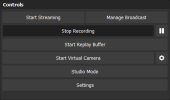
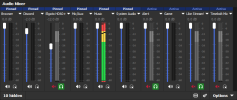
This theme is heavily inspired by the UI of Adobe Photoshop. I find Photoshops UI very clean and easy to work with so I wanted to bring that to OBS.
I made this on version 32.1.2 of OBS but I tested it on an older version (31.1.2) and it seemed just fine!
To install the theme just drag the files I included inside your obs-studio themes folder. This is typically found in:
Windows: C:\Program Files\obs-studio\data\obs-studio\themes\
Mac: ~/Library/Application Support/obs-studio/themes/
Linux: ${XDG_CONFIG_HOME}/obs-studio/themes
Linux (Flatpak): ~/.var/app/com.obsproject.Studio/config/obs-studio/themes
I haven't tested this theme on Mac or Linux so if there's any problems with those please let me know.
This is my first time making anything like this so apologies in advance if there's any issues.
Feel free to let me know of any bugs or if you have a suggestion on how I can improve the theme.
I hope you enjoy!
Credit:
Some custom UI icons sourced from this website: https://opensvg.dev/icons
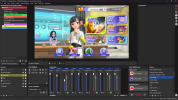
This theme is heavily inspired by the UI of Adobe Photoshop. I find Photoshops UI very clean and easy to work with so I wanted to bring that to OBS.
I made this on version 32.1.2 of OBS but I tested it on an older version (31.1.2) and it seemed just fine!
To install the theme just drag the files I included inside your obs-studio themes folder. This is typically found in:
Windows: C:\Program Files\obs-studio\data\obs-studio\themes\
Mac: ~/Library/Application Support/obs-studio/themes/
Linux: ${XDG_CONFIG_HOME}/obs-studio/themes
Linux (Flatpak): ~/.var/app/com.obsproject.Studio/config/obs-studio/themes
I haven't tested this theme on Mac or Linux so if there's any problems with those please let me know.
This is my first time making anything like this so apologies in advance if there's any issues.
Feel free to let me know of any bugs or if you have a suggestion on how I can improve the theme.
I hope you enjoy!
Credit:
Some custom UI icons sourced from this website: https://opensvg.dev/icons